The editor takes shape
A build note on the standalone editor host, click-to-inspect, saved sections, theme settings, template navigation, and rich text controls.
Last updated: October 30, 2026
This was the first point where Nyxel started to feel like a real theme editor instead of a set of disconnected parts.Update, July 2026: This post records the first iframe-based SvelteKit editor. Nyxel now uses an Astro storefront, a Shadow DOM Canvas for selection, and a separate real-route Preview. I have kept the older details and screenshots here as a build log.
The editor now has its own host app, a preview iframe, a composition tree, saved sections, theme settings, and the first usable version of the component browser.
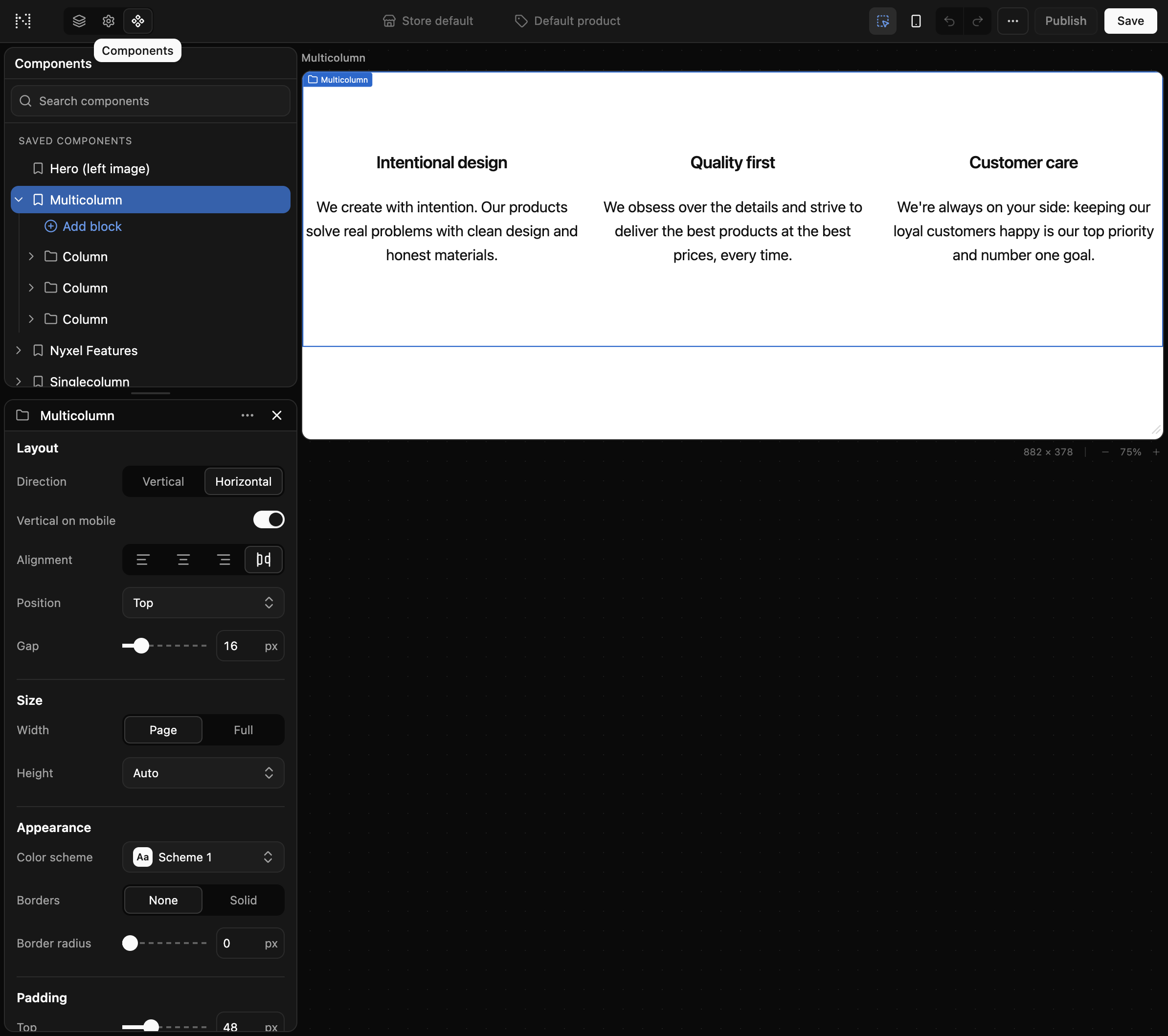
Editor host
The editor runs as a separate app. It reads the theme over HTTP from the storefront and embeds preview iframes instead of importing the storefront directly.
That shape matters because the editor should stay portable. The storefront owns theme rendering. The editor owns authoring UI. The contract between them is data.
The basic authoring loop
The first useful loop is in place:
- select a template
- add or reorder sections and blocks
- change settings
- inspect from the preview
- save the resulting JSON
Click-to-inspect
The top-bar inspector toggle now makes the preview interactive. Hovering shows labels. Clicking selects the matching node and opens its settings. Selecting in the tree also highlights the matching preview element.
That is one of the core Shopify Theme Editor behaviors I wanted Nyxel to have from the start.
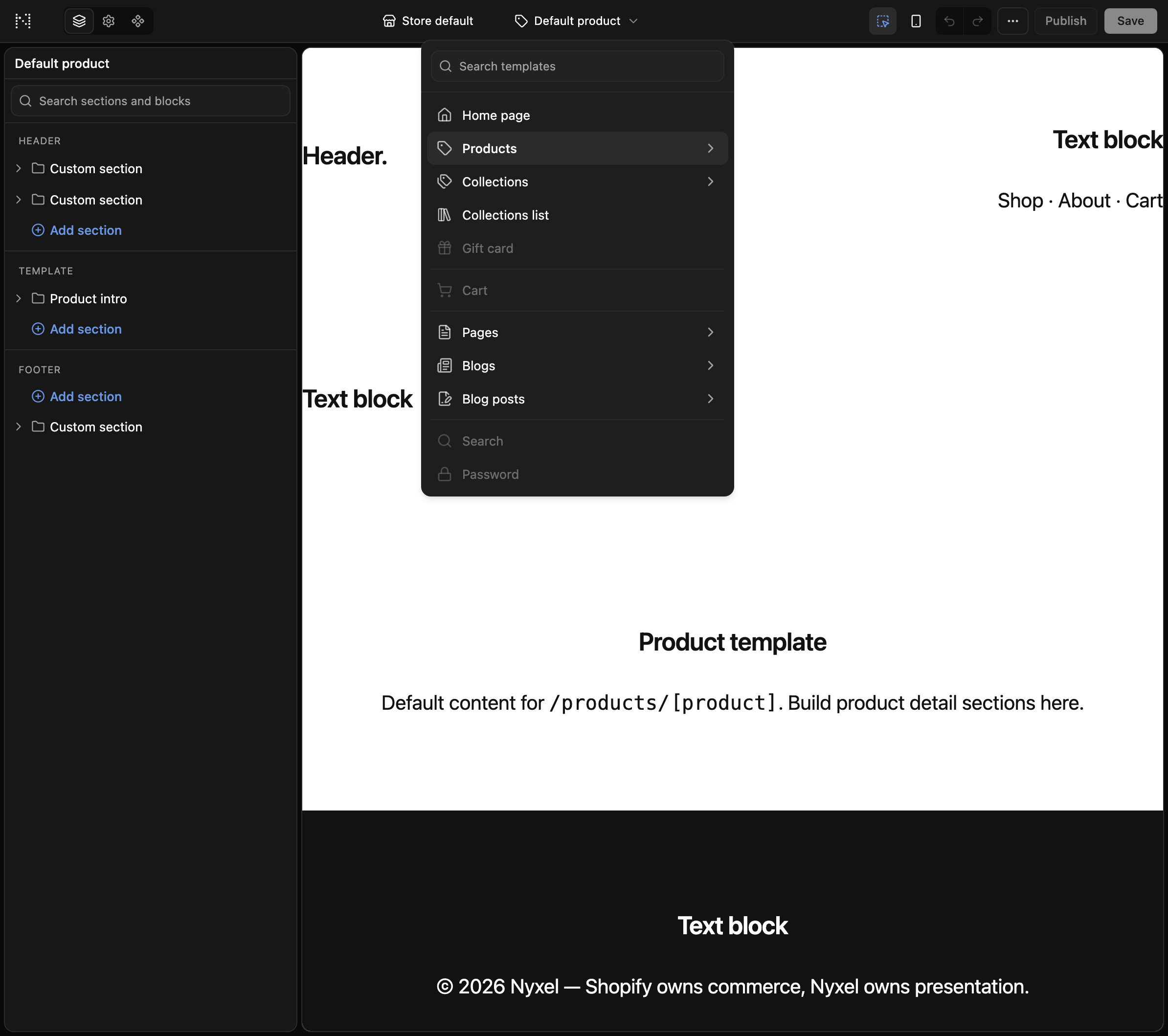
Template navigation
The old flat page dropdown became a template navigator with search and categories. It can drill into templates like products, collections, pages, blogs, and search.
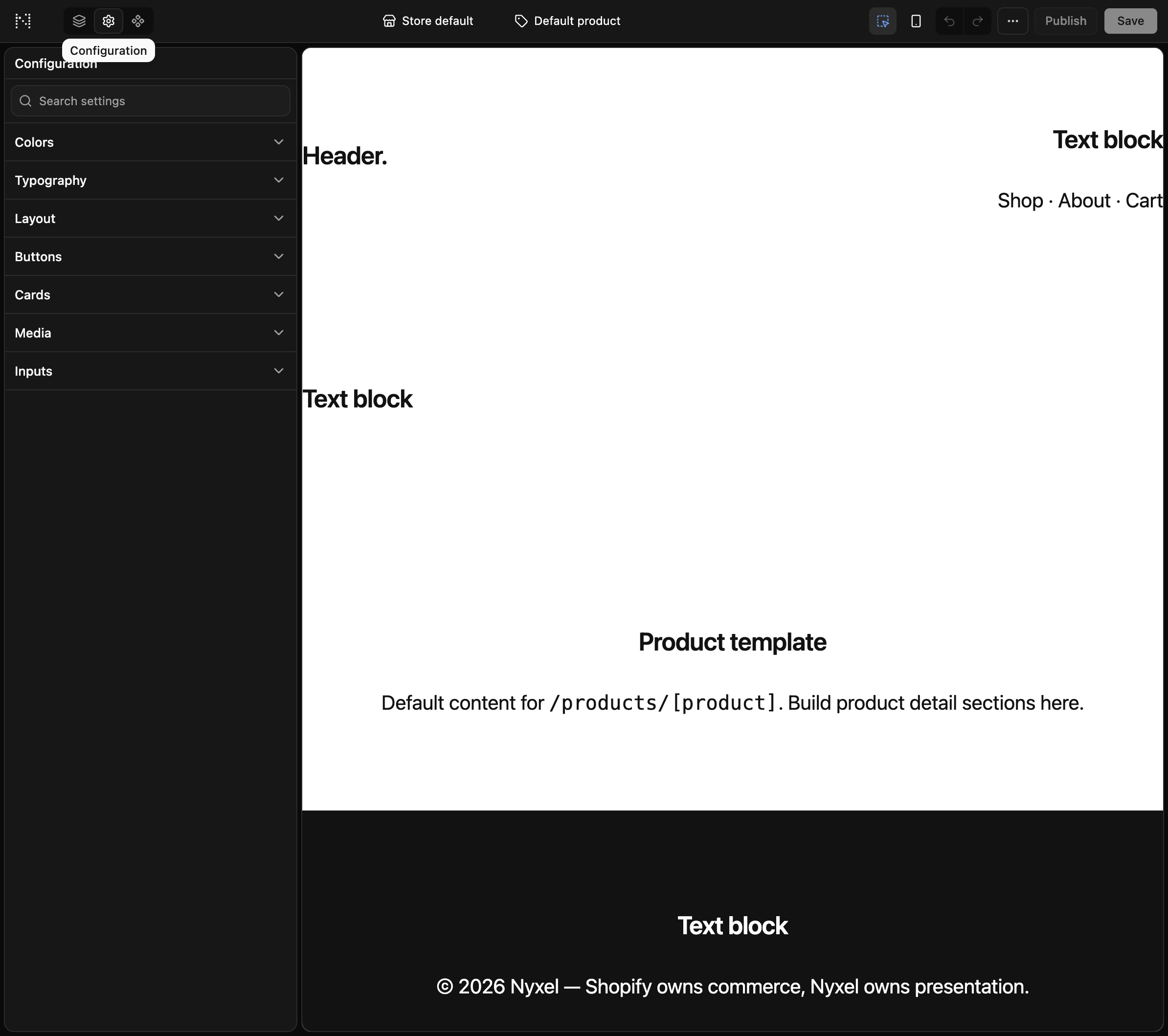
Theme settings
Theme settings are no longer just static chrome. Setting groups expand inline, changes update the preview, and Save persists sparse overrides to settings_data.json.
Color scheme groups were still limited at this point, but the structure was in place.
Saved sections and Components
You can save a composed section as a reusable preset, find it under Saved components, and insert a fresh copy with new IDs.
The Components area also gained an inline block tree for presets, isolated preview, rename/duplicate/delete, restore defaults, and theme category accordions in the component browser.
Rich text
richtext and inline_richtext settings now use a TipTap-based control with bold, italic, links, lists, and styles. Stored values stay Shopify-shaped HTML, and the storefront .rte styles render them correctly.
Small chrome fixes
The editor now has a more consistent type scale and menu radius system. I also pinned esrap >= 2.2.11 after a Svelte printer bug dropped parentheses from a boolean expression and broke a split-view condition.
Next
The next pieces were persistence, media/resource pickers, color scheme editing, publishing, and the Bridge companion-theme work.