The editor is only as credible as the storefront
Why Canvas, Preview, cart, filters, and reproducible screenshots belong to one product-quality loop.
Last updated: October 30, 2026
A visual storefront editor can look convincing long before the storefront underneath it is convincing.
Selection outlines, schema controls, drag and drop, and responsive artboards make the editing surface feel tangible. But the promise is larger than the editor: the page being composed must still behave like a store. Products need to add to cart. Quantities need to update totals. Mobile navigation and cart panels need to feel related. Collection filters need to explain what they changed and preserve that state in the URL.
That is the product-quality loop Nyxel is built around now.
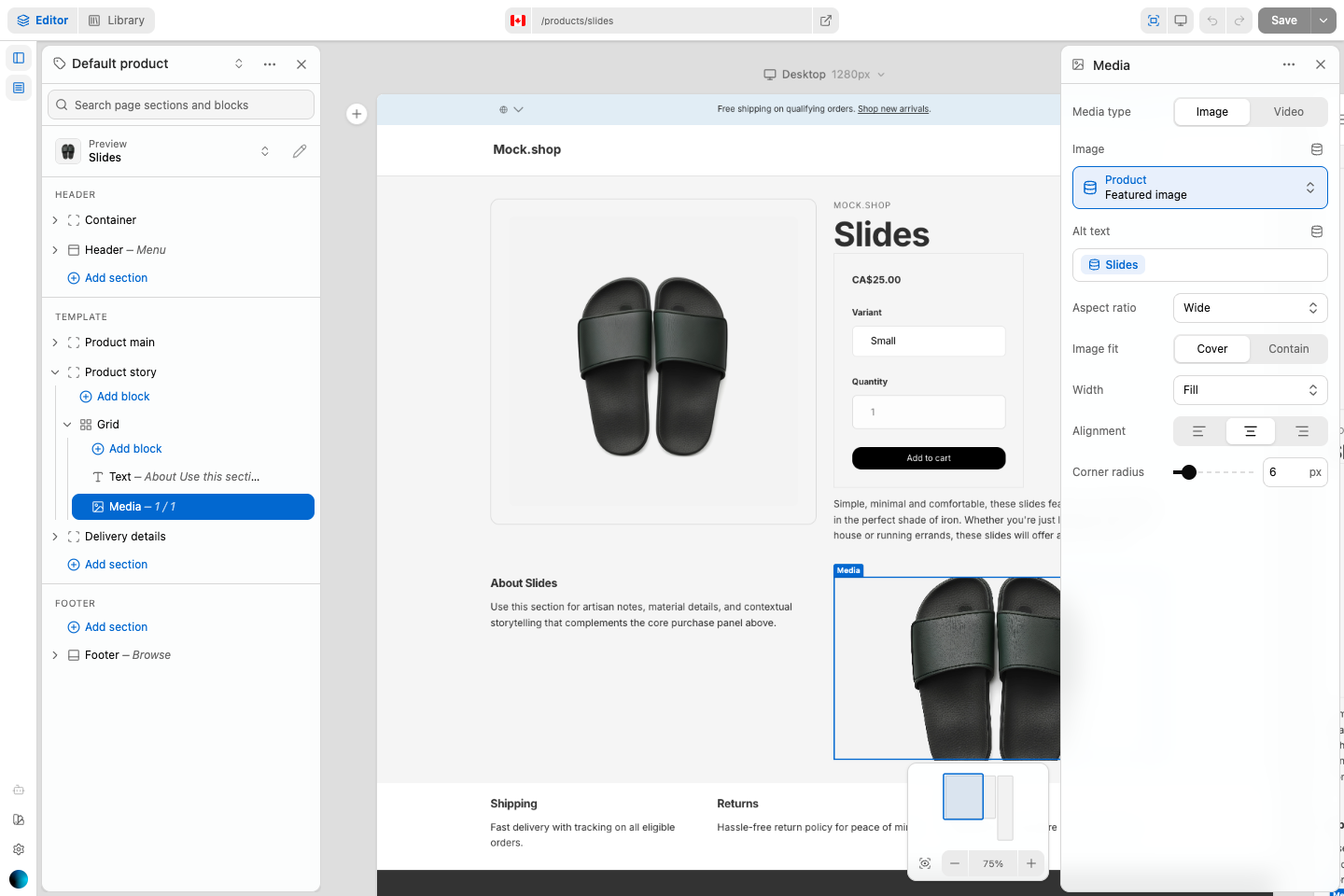
Canvas is for editing
Nyxel’s Canvas renders the Astro storefront into Shadow DOM without hydrating it. That choice gives the editor direct access to component markers and keeps theme CSS isolated from the surrounding interface. A click selects a section or block immediately; a server round trip is only needed when the rendered HTML changes.
The mobile editor follows the same rule. It shows one mobile-width artboard inside the available stage and keeps the Navigator or Inspector in a bottom sheet. The artboard grows with the composed page, while pan and zoom belong to the stage rather than to a nested storefront scrollbar.
Preview is for believing the result
Preview renders the real route with the unsaved editor snapshot. It has no selection overlays and no editing shortcuts. Product options, navigation, collection query state, and cart mutations run there as they do on the storefront.
That separation removes a common ambiguity in visual builders. Canvas does not pretend to be a live store, and Preview does not pretend to be an editing surface.
Core commerce is interface work
The cart is owned by Shopify and Hydrogen, but the experience around it is still part of the theme. A successful add needs visible feedback. The cart drawer needs the product image, title, variant, quantity, price, subtotal, and checkout action in one readable hierarchy. Quantity changes and removal need to update the same source of truth used by the cart page.
Astro islands add another constraint: independently hydrated Svelte components cannot assume a module-local UI store will be shared across compiled island boundaries. Nyxel keeps cart data in Hydrogen and uses a small page-level event only for the “open the cart” command. The drawer refreshes from the successful mutation before it appears.
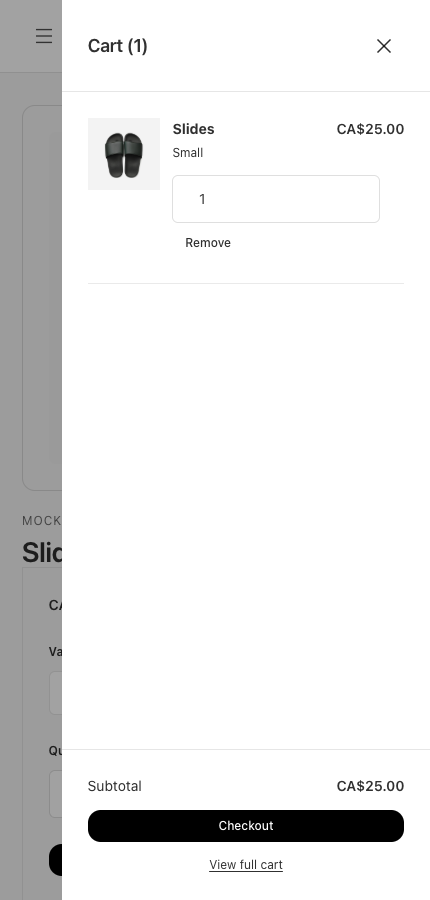
Drawers now share the same interaction language across mobile navigation, cart, and collection filters: a clear title and close action, an inert page behind the surface, constrained panel scrolling, Escape behavior, focus restoration, and consistent panel geometry.
Collection controls need to tell a story
A pair of unlabeled native selects technically filters and sorts a collection, but it does not help someone understand the result. The collection surface now shows a product count, an explicit filter action, pending choices with Apply and Clear, applied-filter chips, and a sort control whose state remains visible in the URL.
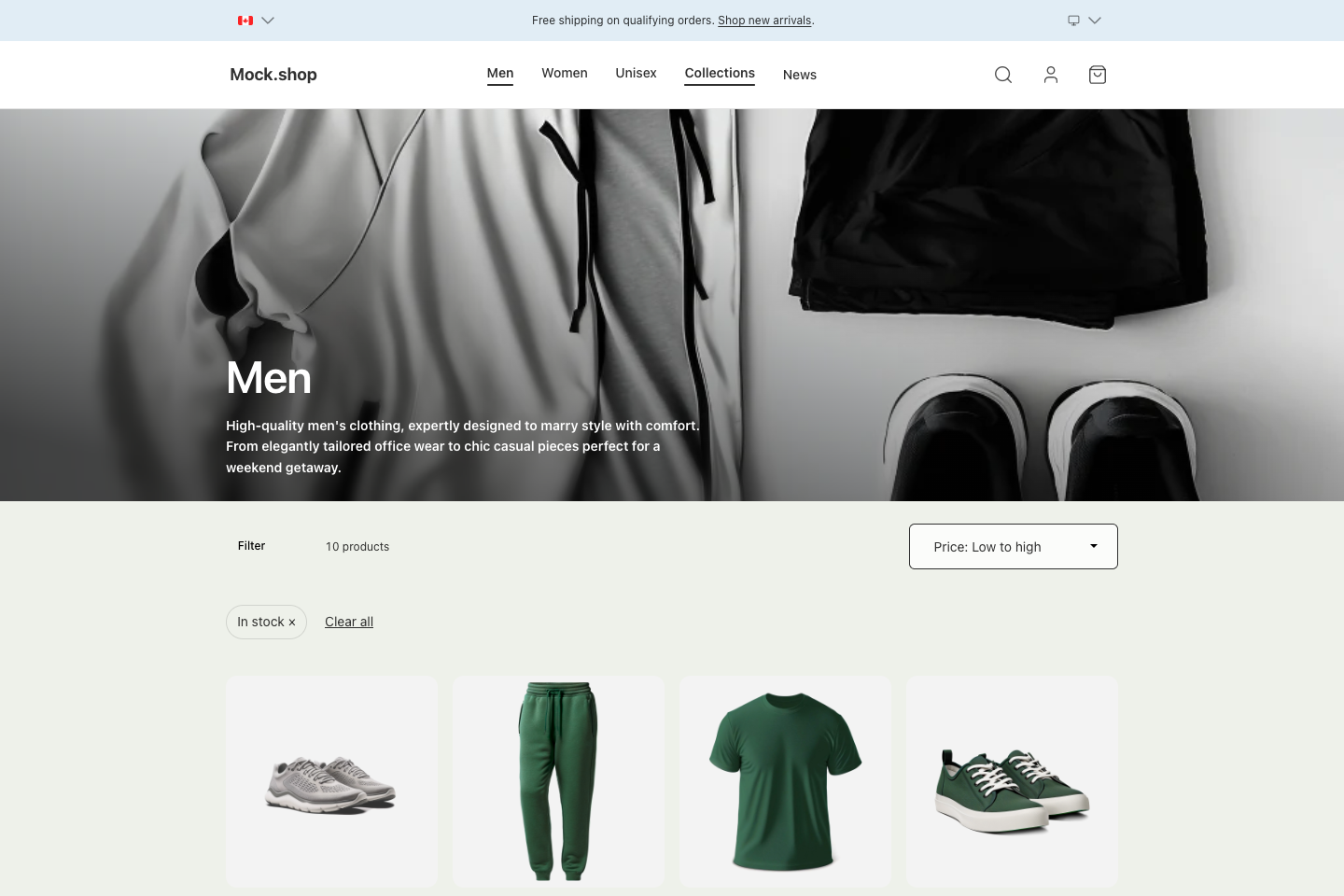
The underlying data flow stays simple. The URL owns the browse state, the route turns that state into a Shopify request, and the section presents the result. The interface makes that flow legible without becoming a second data model.
Screenshots should carry meaning
Documentation screenshots tend to drift because the capture process remembers pixels but not intent. Nyxel’s site media now has a small capture manifest. Every image declares its topic, the pages where it belongs, its alt text, route, viewport, readiness condition, and a semantic assertion. The runner forces light mode, disables animation, fails on browser errors, and writes a receipt beside the files.
That makes a screenshot reproducible and reviewable. More importantly, it makes it possible to ask whether the image actually explains the paragraph beside it.
The editor and storefront are not separate demonstrations. They are one workflow, and the most useful test is still the outermost one: compose a real page, preview it, use the store, save it, reload it, and see the same result.